The phone they already own, finally easy to use.

Lumi replaces the home screen on any Android phone with big tiles, clear words, and automatic scam screening. Your parent keeps their phone and their number. You get a dashboard that tells you they're okay.

Works on the phone they have now. No new device. No contract.

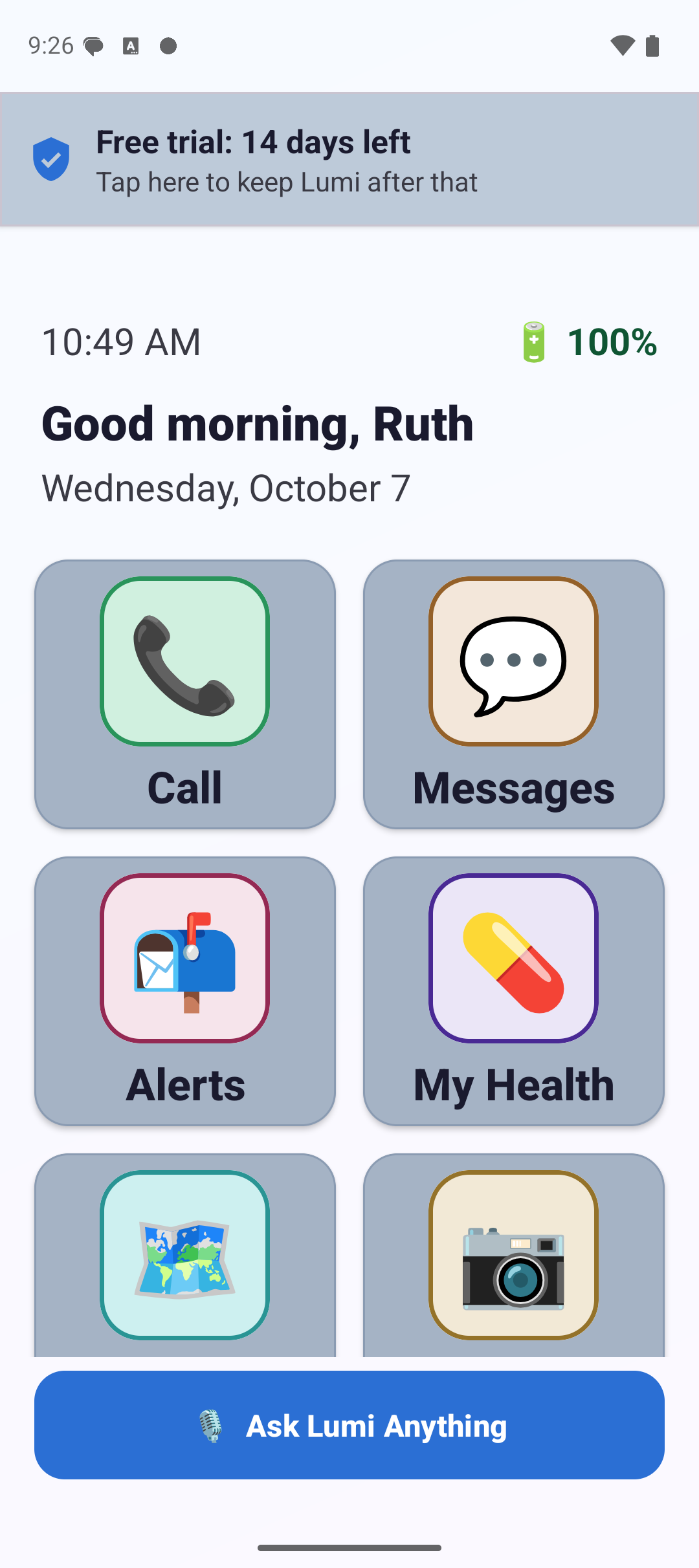
The Lumi home screen: a greeting reading Good afternoon, the date, the battery level, and eight large tiles labeled Call, Messages, My Health, Fitness, Games, Photos, Directions and Weather, with a wide Ask Lumi Anything button along the bottom.
75+ senior interviews behind the design $2,000 pitch competition winner Built in Edmond, Oklahoma

The problem

Finally. A phone your parent can actually use.

Smartphones were not designed for people who did not grow up with them. Three things happen in almost every family we talked to.

1 in 3

Phones are too complicated

One in three seniors say their phone is too complicated to use. So they stop using most of it, and stay on a device that frustrates them every day.

Hours

Families become tech support

Families spend hours every week walking a parent through the same steps. The same call, the same question, every week.

Billions

Scammers target them

Older adults reported losing billions of dollars a year to fraud, and most simplified phone screens offer nothing at all to help. FTC

How it works

Three steps. That's it.

Setup takes about five minutes and it happens once. You can do it during a normal visit.

1

Install it on their phone

Download Lumi onto the Android phone they already use and set it as the home screen. Nothing is deleted. Their number, photos, and contacts all stay exactly where they are.

2

Pair it with your phone

Lumi shows a pairing code. You enter it once on your own device to connect. From then on you can see how they're doing from wherever you are, without having to call and ask.

3

Stop worrying

They get a phone that makes sense. You get told when a scam is blocked, when a dose is missed, and if they ever press SOS. When nothing is wrong, you hear nothing.

What's inside

Built around one question.

Can a 75 year old look at this screen and know exactly what to do? Every tile, every word, and every button size had to pass that test before it shipped.

Everything they need, on one screen

No app drawer to dig through and no folders to get lost in. Eight large tiles with real words under them, a greeting by name, and the time and battery in type big enough to read across a room.

  • Large tiles with plain labels, not just icons
  • Greeting, date, and battery level always visible
  • The same layout every single time they look
  • Voice assistant one tap away at the bottom
The Lumi home screen with eight large labeled tiles.

Calling someone takes one tap

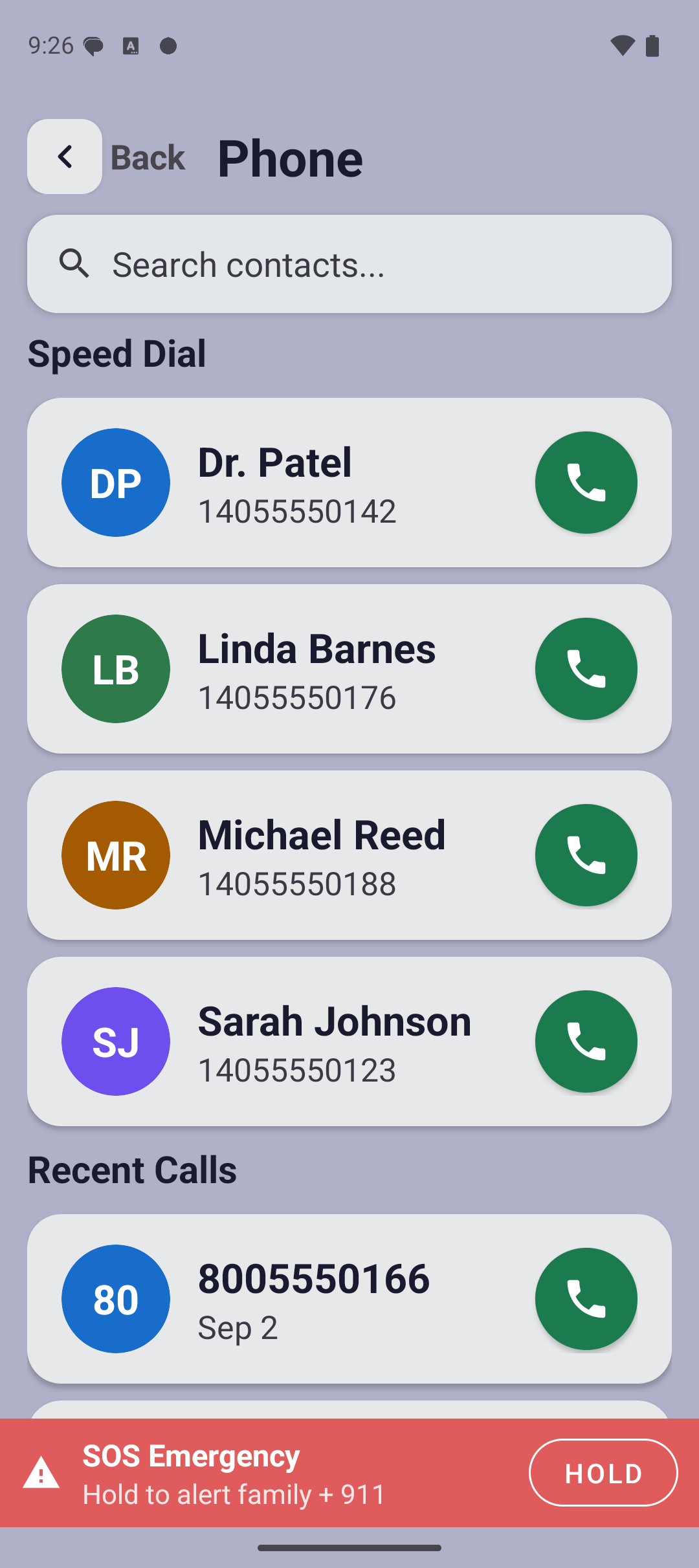
No contact list to scroll and no dial pad to get lost in. The people they call most sit at the top as large cards with a name and a green call button big enough to hit every time.

  • Speed dial cards sized for unsteady hands
  • Names and numbers in large, high contrast text
  • Recent calls listed in plain language
  • The red SOS bar stays fixed at the bottom
The Lumi phone screen showing speed dial cards for Dr. Patel, Linda Barnes, Michael Reed and Sarah Johnson, each with a large green call button, and a red SOS Emergency bar across the bottom.

Medications they can actually keep track of

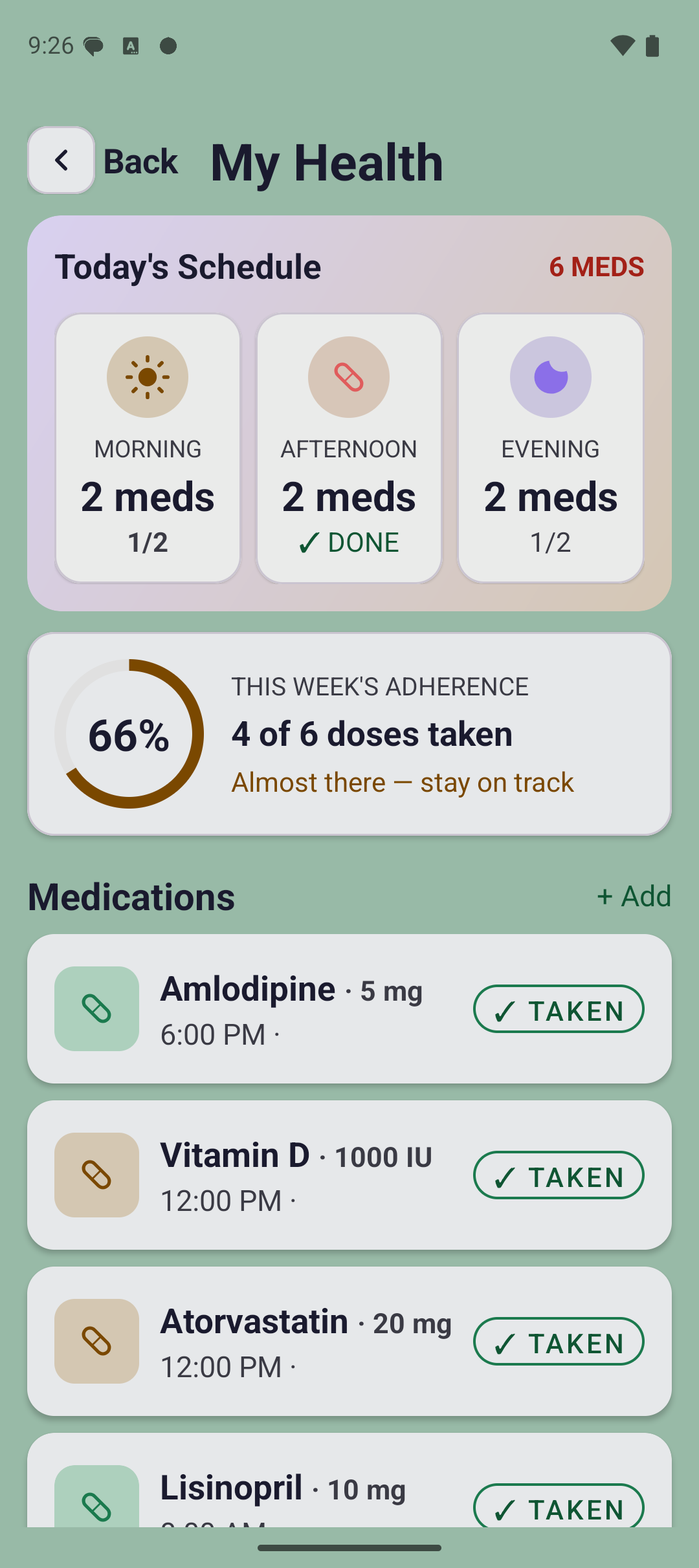
The day laid out by morning, afternoon and evening, with a big "Take now" button on each one. Tapping it marks the dose taken, and the family sees that on their dashboard within seconds.

  • Today's doses grouped by time of day
  • One large button to mark a dose taken
  • Adherence for the week, in plain numbers
  • A missed dose tells the family on its own
The My Health screen showing today's schedule split into morning, afternoon and evening, weekly adherence, and each medication with a Take now button.

Something to do, built in

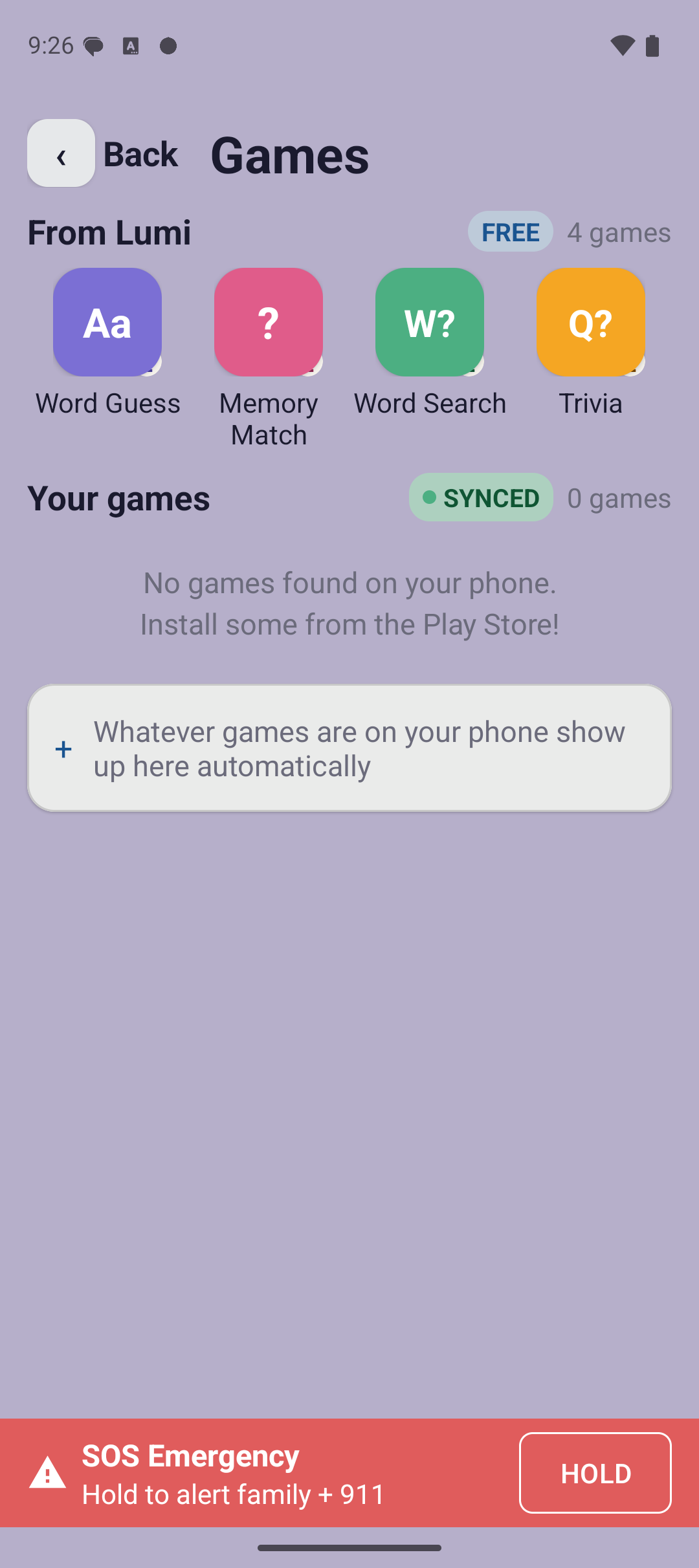
Four simple games that come with Lumi and need no setup, no account, and no in-app purchases. Anything already on the phone shows up here too.

  • Word Guess, Memory Match, Word Search and Trivia
  • No ads, no accounts, nothing to buy
  • Games already on the phone appear automatically
  • The SOS bar stays put, even mid game
The Games screen listing four built-in Lumi games: Word Guess, Memory Match, Word Search and Trivia.

Nothing gets missed

A normal notification disappears in seconds, in type most seniors cannot read in time. Lumi keeps every one of them, large enough to read, so a message noticed an hour later is still there.

  • Every message and alert, saved and readable
  • Written in plain words: "10 minutes ago", "Yesterday"
  • Tap one to open the app that sent it
  • Works with every app already on the phone
The Lumi Alerts screen listing saved notifications in large text, each showing which app it came from, the sender, the message and how long ago it arrived.

Their screen, their way

Not everyone wants every app. Any tile can be switched off and the order changed, with plain on and off switches and simple up and down buttons. No dragging, no long presses, nothing to discover.

  • Turn off anything they will never use
  • Move the apps they use most to the top
  • Every control says ON or OFF in words
  • One button puts it all back
The Change My Screen list, showing each Lumi app with a large ON or OFF switch beside it.

Scam screening that runs itself

Incoming calls and texts are checked automatically. Nobody has to remember to turn anything on, and nobody has to decide in the moment whether a message is real.

Emergency help from any screen

A red SOS bar sits at the bottom of every screen. Holding it alerts the family with their location and calls 911. Always the same place, so there is nothing to find.

Medication reminders

Clear reminders at the right time each day. If a dose is missed, the reminder escalates and the family gets told, so nobody is relying on memory alone.

A voice assistant that speaks plainly

Ask Lumi to make a call, check the weather, or set a reminder. It answers in ordinary language instead of reading out a menu of options.

For the family

Their phone, on your phone.

Install Lumi on your own phone, enter a 6-digit code once, and you get a live dashboard for your parent's phone. This is the part families tell us matters most, and it is the reason the weekly "is everything okay?" phone call stops being necessary.

Everything at a glance

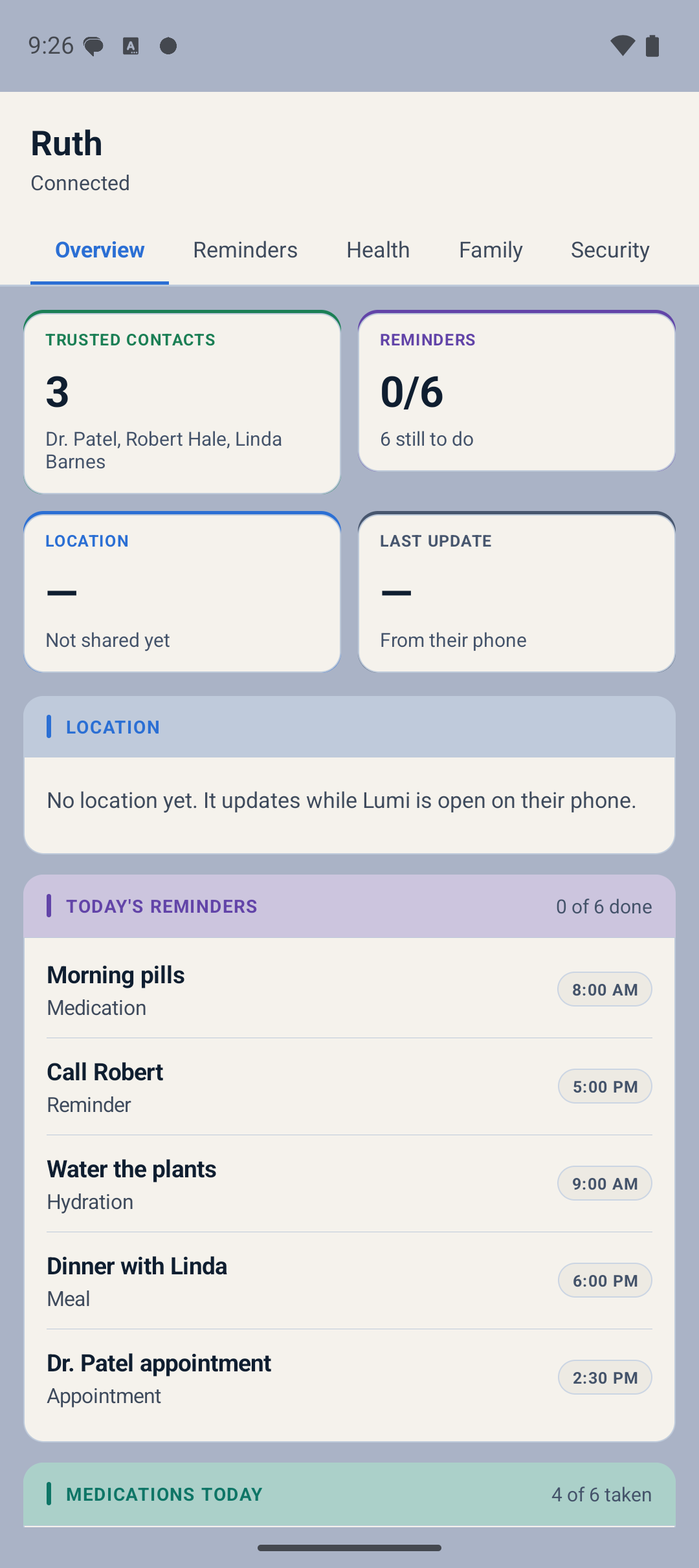
The first screen answers the question you actually have. Did they take their medication, where are they, is the phone charged, and has anything gone wrong today.

  • Anything needing attention, right at the top
  • Where they are on a map, and when it last updated
  • Phone battery, so you know before it dies
  • Today's reminders and how many are still to do
  • Who they can reach in one tap
The Lumi caregiver dashboard overview for Margaret Doyle: a Needs Attention banner showing a blocked scam call, three trusted contacts, reminders progress, a live map of her location marked Home and updated just now, and 72% battery.
What you can see

Without calling to ask

Everything updates live. When nothing is wrong, there is nothing to check.

  • Every medication, and whether it was taken, due, or missed
  • Where they are right now, on a map
  • Phone battery level
  • Every scam call and text that was blocked, and why
  • SOS alerts the moment the button is held
  • The contacts saved on their phone
What you can add from your phone

Without driving over

Add it here and it appears on their phone. They don't have to do anything.

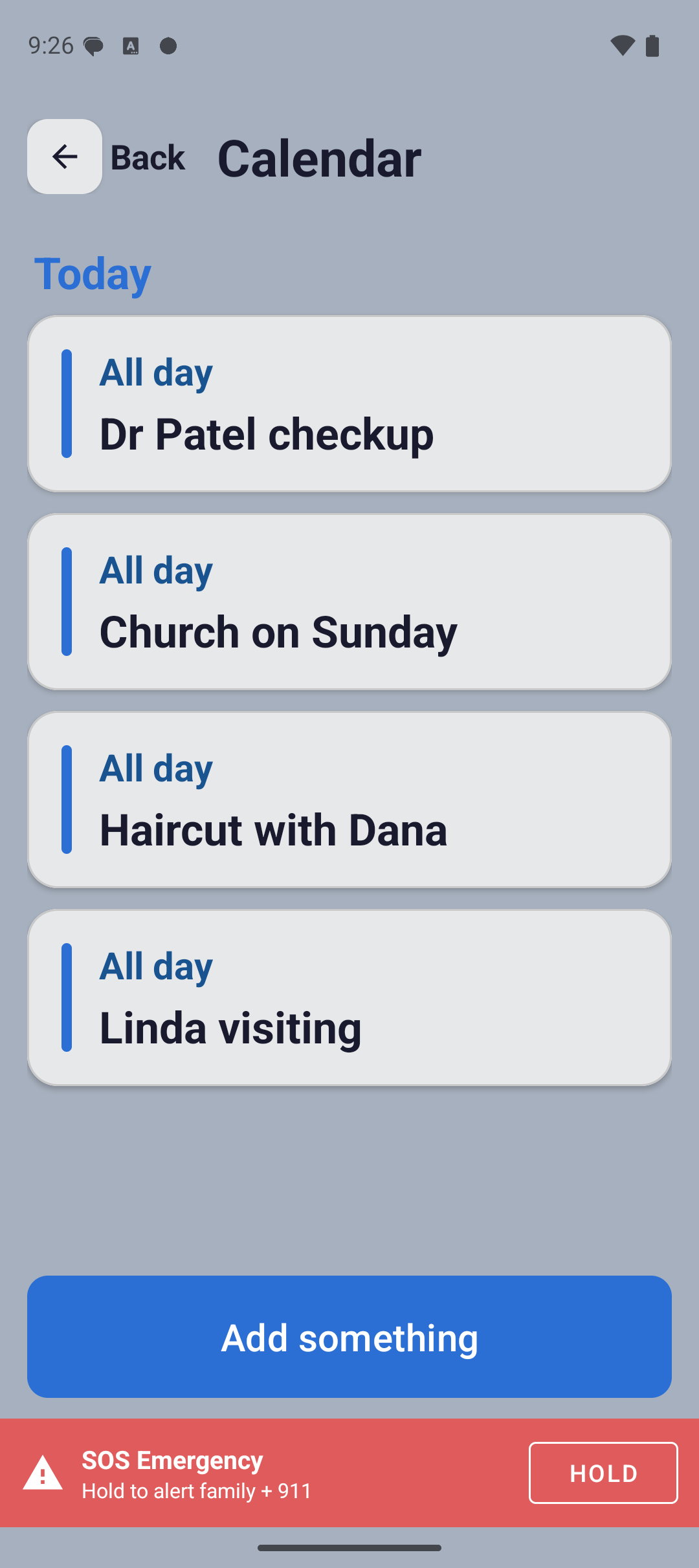
  • Appointments, which show up in their reminders
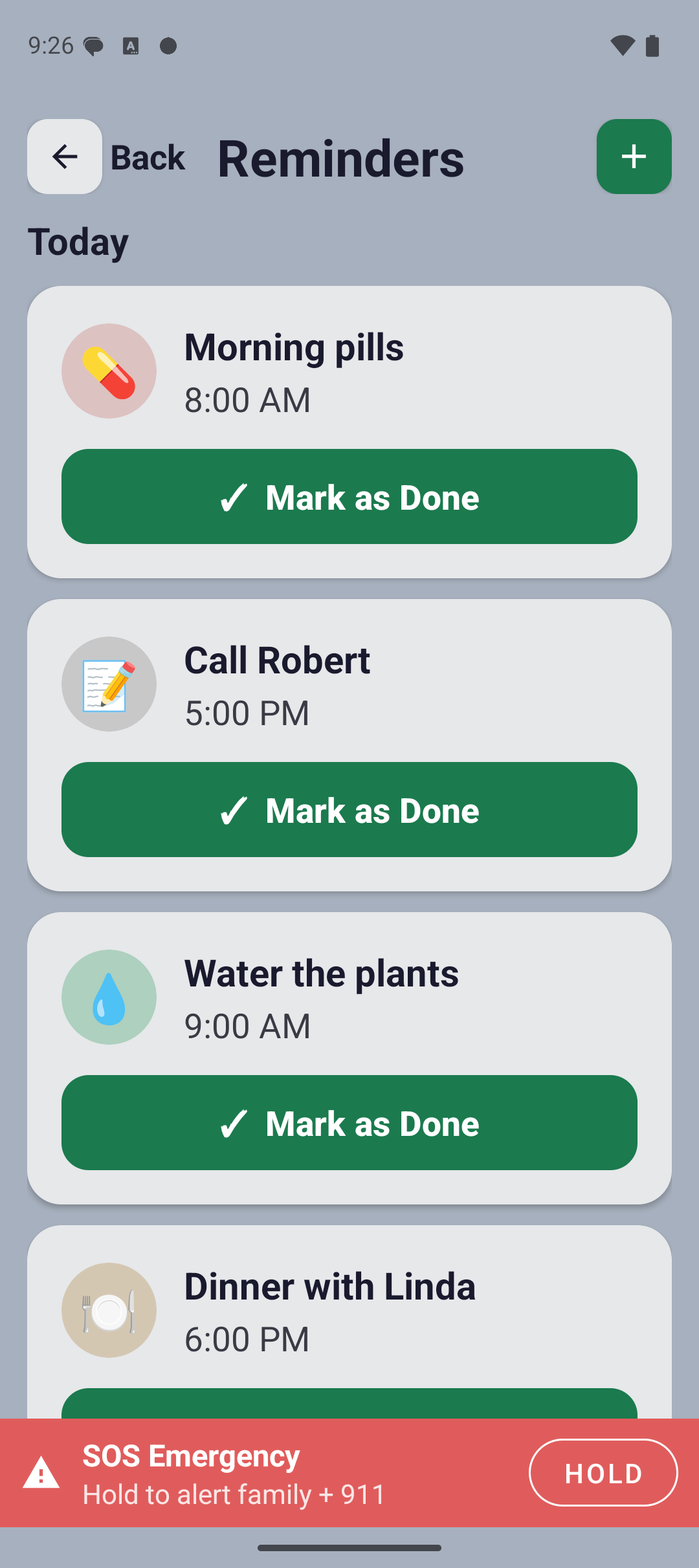
  • Reminders for water, meals, or anything else
  • Contacts, so the people they call most are one tap away
  • Saved places like the doctor's office or the pharmacy
  • Anything you add arrives marked "Added by Family", so it never looks like it appeared from nowhere

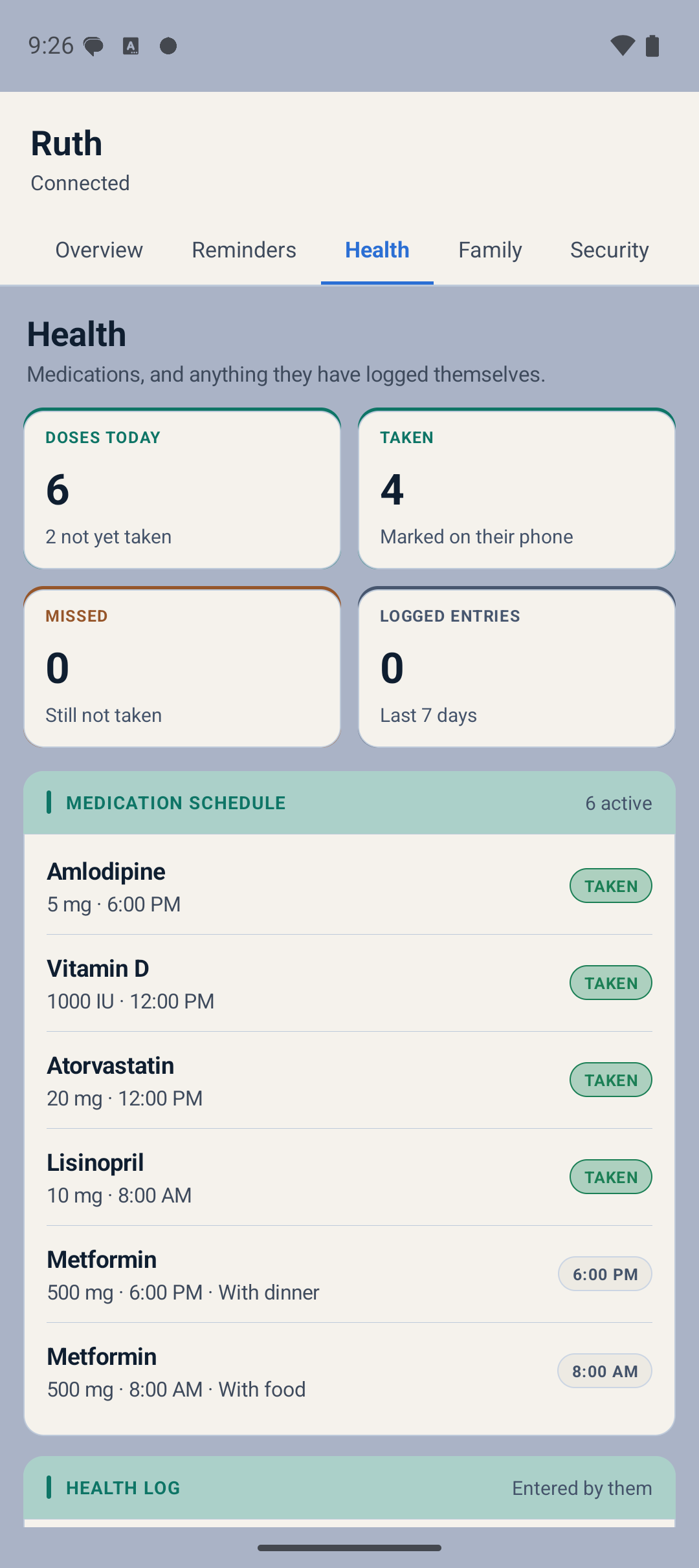
Medications stay on their phone, marked off by the person actually taking them.

The Health tab listing three medications with Taken and Due badges, dosage, time and instructions.
Health. Every medication with its dose, time, and whether today's has been taken.
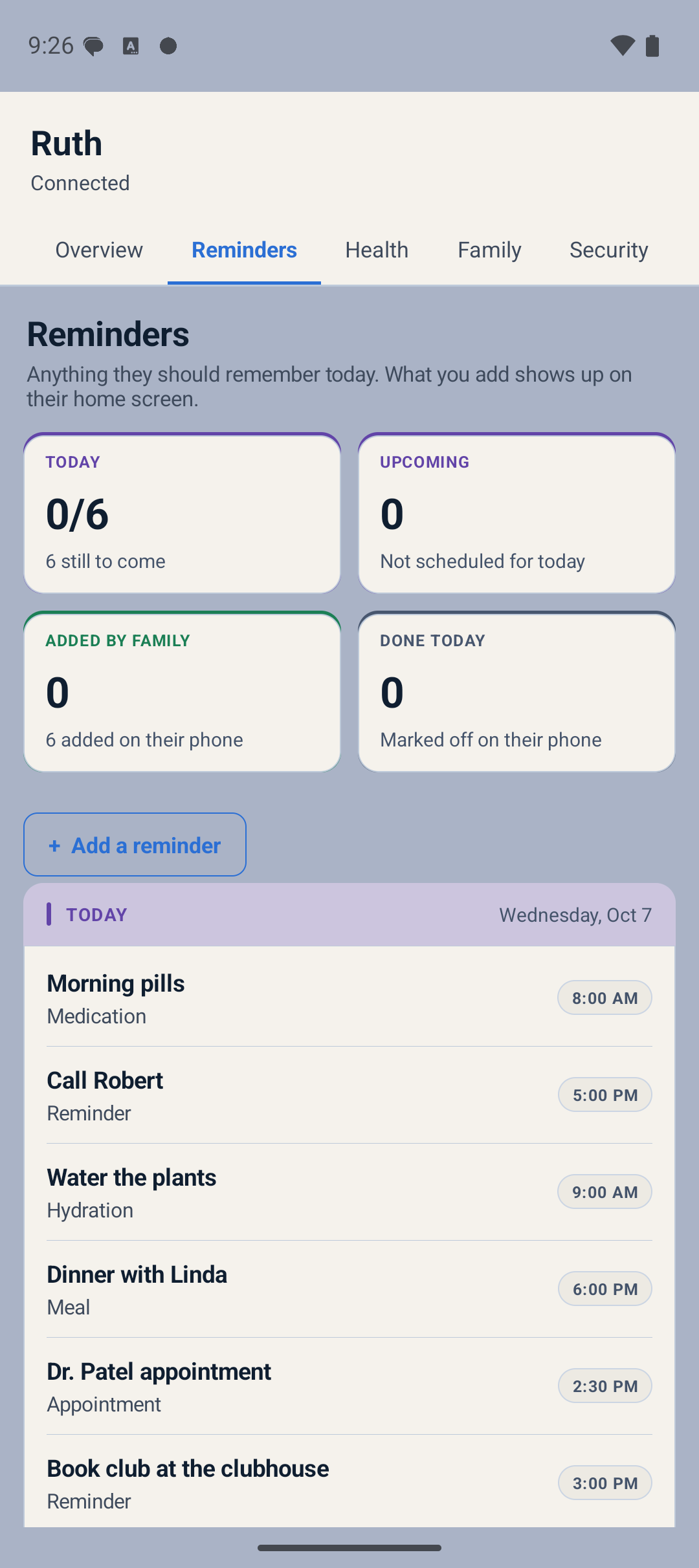
The Reminders tab showing how many reminders are due today, how many are upcoming, and how many were added by family.
Reminders. What's due today, and who added it. Four of these came from family.
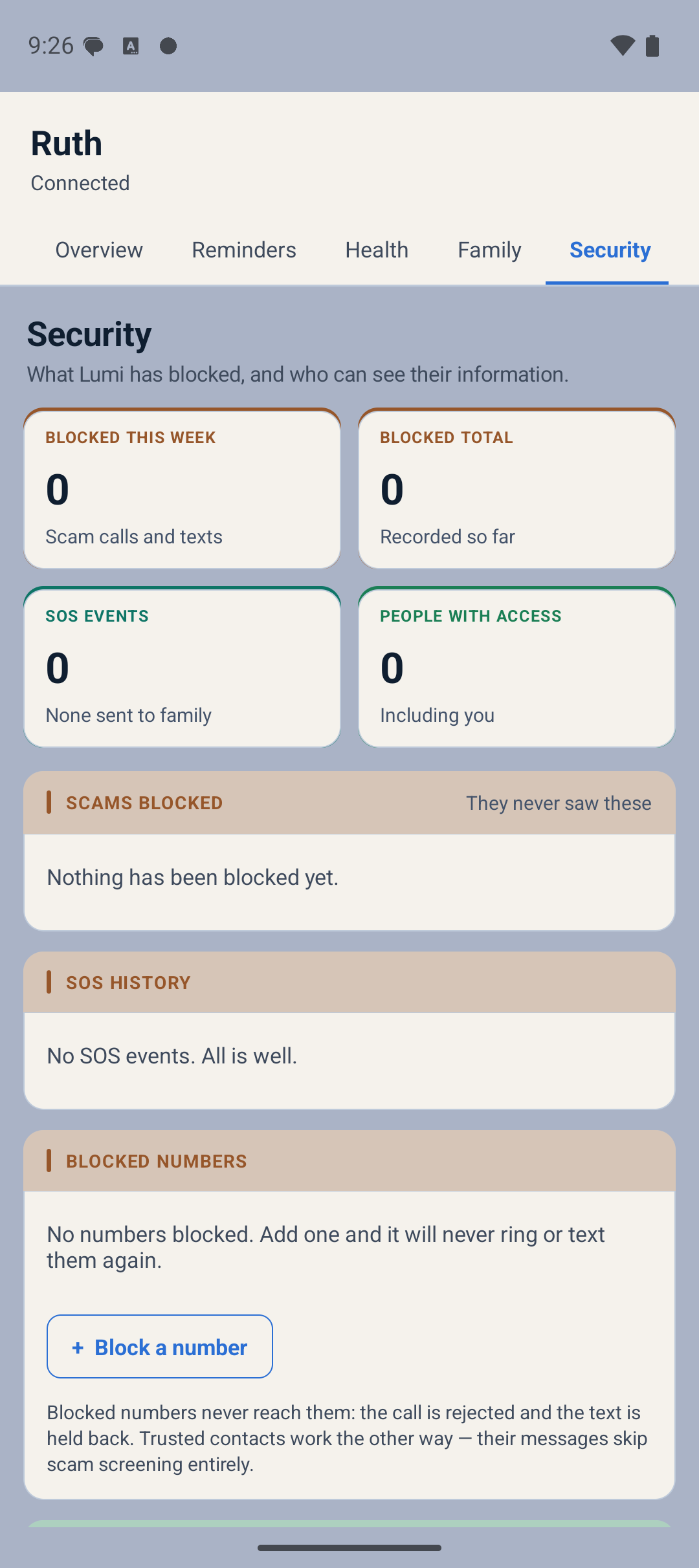
The Security tab listing blocked scam messages with the reason each was flagged, and a history of SOS alerts.
Security. Every scam call and text Lumi stopped, described in plain language, plus SOS history.

Setting it up

Connecting the two phones takes a minute.

You do this once. After that both phones stay connected on their own.

1

Set up Lumi on their phone

Install Lumi on your parent's Android phone and set it as the home screen. During setup it shows a 6-digit pairing code. You can find it again any time under Settings, then Caregiver settings.

2

Install Lumi on your phone

Get the same app on your own Android phone. Open Settings, then Caregiver settings, and choose "I'm a Caregiver".

3

Enter the code

Type in the 6 digits from their phone. Their dashboard opens on yours straight away, and stays connected until you unlink it.

The two apps

Lumi comes as two apps that work together.

Install both and they behave like one product. They are separate for a reason worth knowing about, explained just below.

App one

Lumi

The home screen itself, plus everything that is not calling and texting. This is the app that changes what your parent sees when they pick up the phone.

The Lumi home screen with its large labeled tiles.
  • Replaces the home screen with large tiles
  • My Health, medications, and appointments
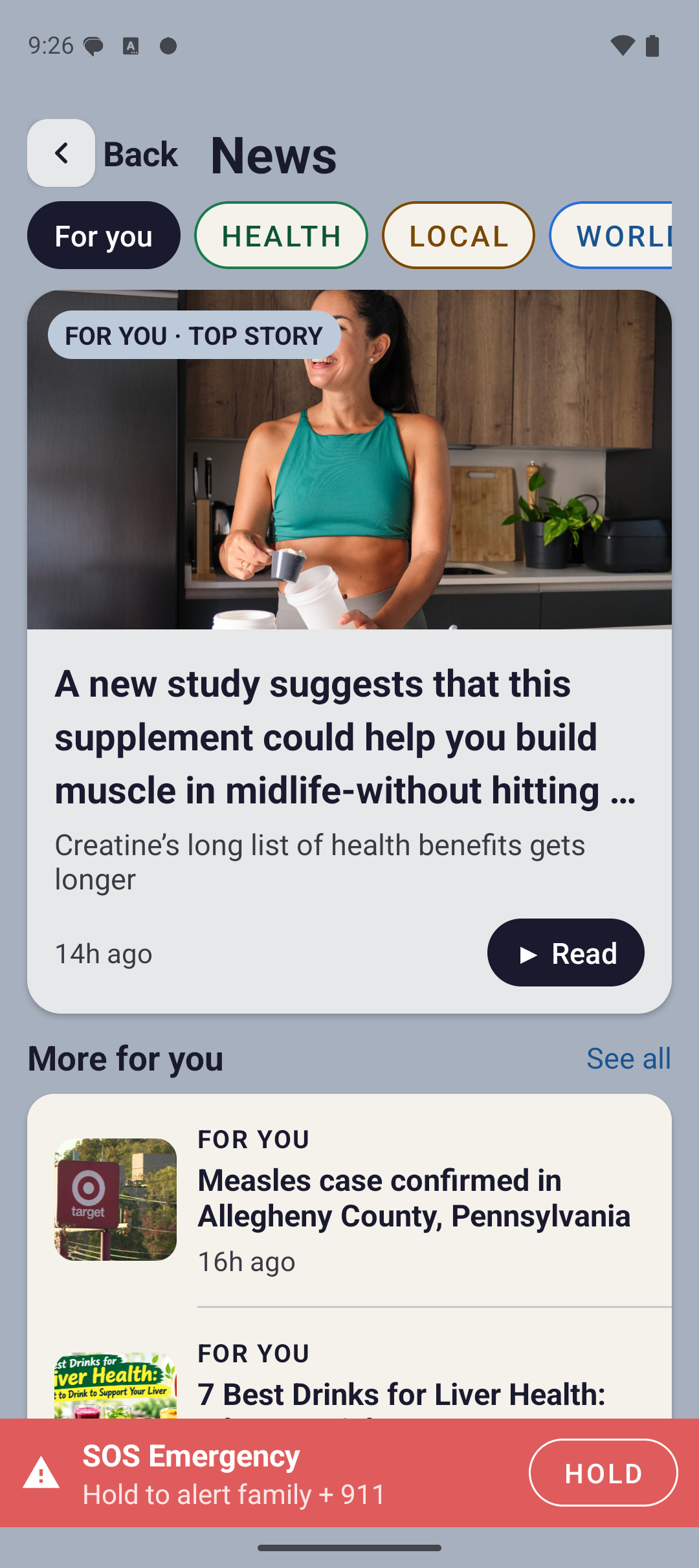
  • Weather, directions, photos, news, games
  • Voice assistant and emergency SOS
  • Pairs with the family dashboard
Join the beta
P

App two

Lumi Line

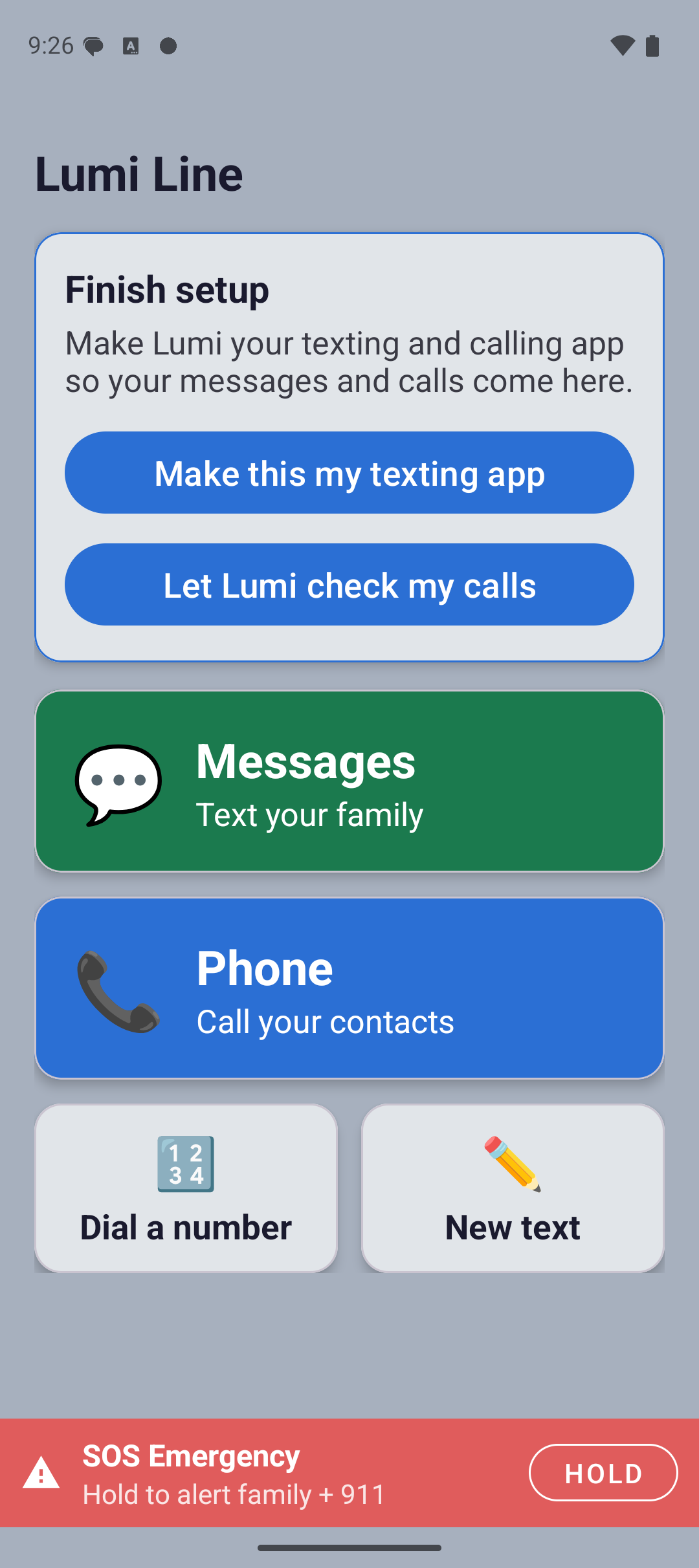
The calling and texting app. You set it as the phone's main app for calls and texts, which is what allows it to check messages for scams before your parent ever sees them.

The Lumi Line app home screen, with a Finish setup card and large green Messages and blue Phone tiles, plus Dial a number and New text buttons and a red SOS bar.
  • Becomes the phone's calling and texting app
  • Large speed dial and oversized dial pad
  • Conversations in big, readable text
  • Checks incoming calls and texts for scams
  • Emergency SOS on every screen here too
Join the beta

Why two apps instead of one?

To check a text message for a scam, an app has to be the phone's main texting app. Android only grants that to an app whose actual job is calling and texting. Keeping that in its own app means the scam screening can do its work, and it keeps the rest of Lumi simple. You install both once and then never think about it again.

Who built this

Lumi started with one grandfather.

"My mom was spending hours teaching her dad how to use his phone. I kept thinking there had to be something better than her explaining the same thing again every week."

Bowman Courtney

Founder, Lumi

75+

In person interviews. Before writing any code, we sat down with seniors at communities around Oklahoma and asked what actually gets in their way. Every screen in Lumi traces back to something a real person said.

Top 6

Pitch competition winner. Lumi placed in the top six and won $2,000 at the Francis Tuttle Entrepreneurship Pitch Competition in May 2026.

Real

A real company. Lumi is built by Lumi LLC, an Oklahoma company. Your data is never sold. Messages are checked for scams and are not stored or shared with anyone outside your family.

Reviews

Real families, real words.

Our first families are using Lumi right now.

Lumi is in beta with families in Oklahoma. We are collecting reviews from real users rather than writing our own, so this space stays empty until theirs are in. If you would like to be one of the first, we would genuinely like to hear from you.

Join the beta

Not only for seniors

Anyone a smartphone leaves behind.

Low vision

Large type and high contrast are the default, not a setting buried three menus deep that someone else has to switch on.

After a stroke

Big targets and a layout that never rearranges itself make the phone predictable when fine motor control is harder.

Memory loss

The same buttons stay in the same places every time. Reminders arrive on their own instead of relying on someone to remember.

Anyone who wants less

Some people just want a phone that calls, texts, and checks the weather without forty other things competing for attention.

Questions

Common questions.

Do we have to buy a new phone?

No. That is the whole point of Lumi. It installs on the Android phone your parent already owns and takes over the home screen. They keep their number, their contacts, their photos, and their carrier.

Why are there two apps?

To check a text message for a scam, an app has to be the phone's main texting app, and Android only grants that to an app whose job is calling and texting. So the calling and texting side lives in its own app. You install both once during setup and then they work as one.

Does it work on an iPhone?

Not yet. Apple does not allow apps to replace the home screen on iPhone, so Lumi is Android only. If your parent has an iPhone, an inexpensive Android phone is currently the only way to use Lumi.

Can they still use their other apps?

Yes. Everything already installed still works and can still be opened. Lumi changes what they see first, so the things they use most are the easiest to reach.

How does the SOS button work?

A red SOS bar sits at the bottom of every screen. Holding it sends an alert with their location to the family members you set up, then places a call to 911. If it was pressed by mistake, a cancellation message goes out automatically. Lumi is not a replacement for calling 911 directly and does not guarantee emergency service reliability.

How is this different from Samsung Easy Mode?

Easy Mode makes icons bigger. It does not check for scams, it does not tell family anything, it has no medication reminders, and there is no emergency button. Lumi is built around the family relationship, not just the font size.

Can I set it up if I don't live nearby?

The install has to happen once on their phone, so someone needs to be with them for about five minutes. After that, everything else is managed remotely from your own device using the pairing code.

What happens to our data?

Lumi never sells your data. Messages are checked for scams and are not stored or shared with anyone outside your family. The full details are in our privacy policy, linked at the bottom of this page.
Get started

Give them back the phone they stopped using.

Install it on the phone they already have. Five minutes, once, and then the weekly tech support calls stop.

Coming soon to Google Play

How the beta works

  1. Enter the Google account address you use on your Android phone.
  2. We add you to the test, and send back a link to install from Google Play.
  3. Install it, use it, and tell us what breaks.

Testers keep Lumi free for life.

Works on the phone they own · No new device · Cancel anytime